
water.xml, the water layer of the whole map.
Draw water
Pick a type
0. In the Water node, open Type.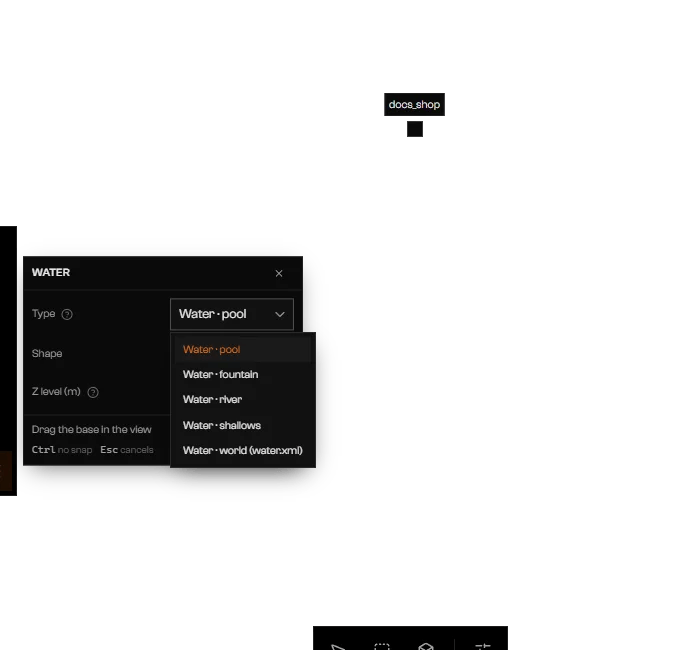
The five water types in the Water node.
Choose a shape
Enter), or Strip along a path (click the course, press Enter to finish). Choosing a strip with Water · pool or Water · fountain switches Type to river. Pointer in the transform bar sets what the pointer can land on while you draw.Set the height and draw
Backspace removes the last point.The dock switches to Edit geometry with the new surface selected. It is named after its type, for example “Water · pool 1”.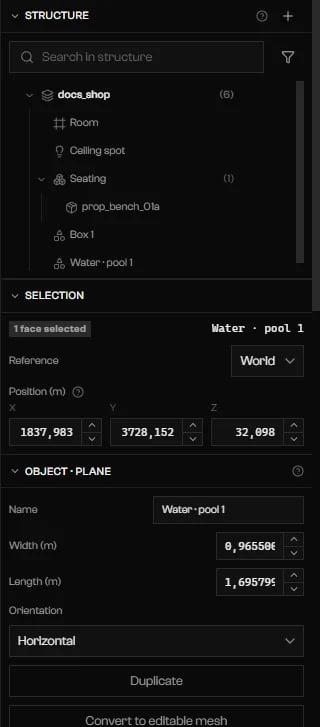
A pool drawn in the scene, listed in the tree as Water · pool 1.
Water settings
Select the water faces and scroll to Material. Type keeps the water type. Water holds the settings for that type, and Game default resets them all to the game’s usual values.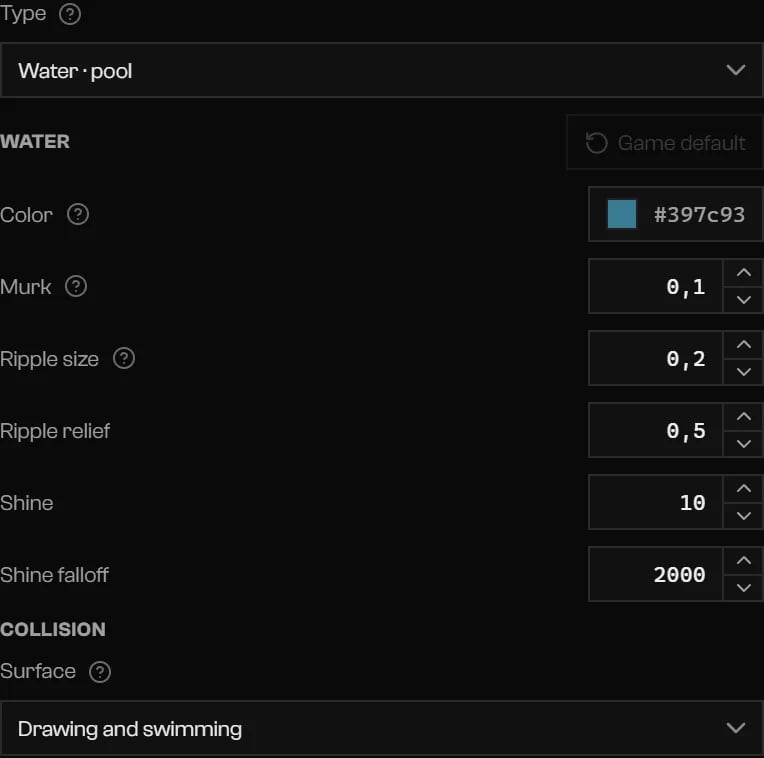
Pool settings and the swimming surface.
- Flow rotation (°) is the direction of the current on level water. A river drawn with the Water tool already flows from its first point to its last.
- Wave direction (°) is disabled while Wave height is 0.
- Changing Type away from water drops the water settings.
Swimming
Collision > Surface is Drawing and swimming, Drawing only, or Swimming only (invisible). It does not apply to world water.Pool or world water
Use Water · pool inside a room. World water is one flat, level rectangle for the whole map, and the game does not draw it indoors: you could swim in it without seeing it. Draw world water in a structure, not in a prop.Troubleshooting
… world water face(s) is/are not level. water.xml only has flat rectangles: level it or use river water.
… world water face(s) is/are not level. water.xml only has flat rectangles: level it or use river water.
… world water face(s) … inside a room. The game does not draw world water indoors: you can swim in it but not see it. Use pool water inside.
… world water face(s) … inside a room. The game does not draw world water indoors: you can swim in it but not see it. Use pool water inside.
World water became … water.xml quads (more than …). The whole sea of the game uses 566.
World water became … water.xml quads (more than …). The whole sea of the game uses 566.
World water too large for a single level: split it into parts of up to 4 × 4 km.
World water too large for a single level: split it into parts of up to 4 × 4 km.
A prop has no place in the world: its world water is left out of the export.
A prop has no place in the world: its world water is left out of the export.
Use at least 3 points without crossing edges, with a minimum area of 0.25 m².
Use at least 3 points without crossing edges, with a minimum area of 0.25 m².