
Apply a texture
Select faces
Open the library
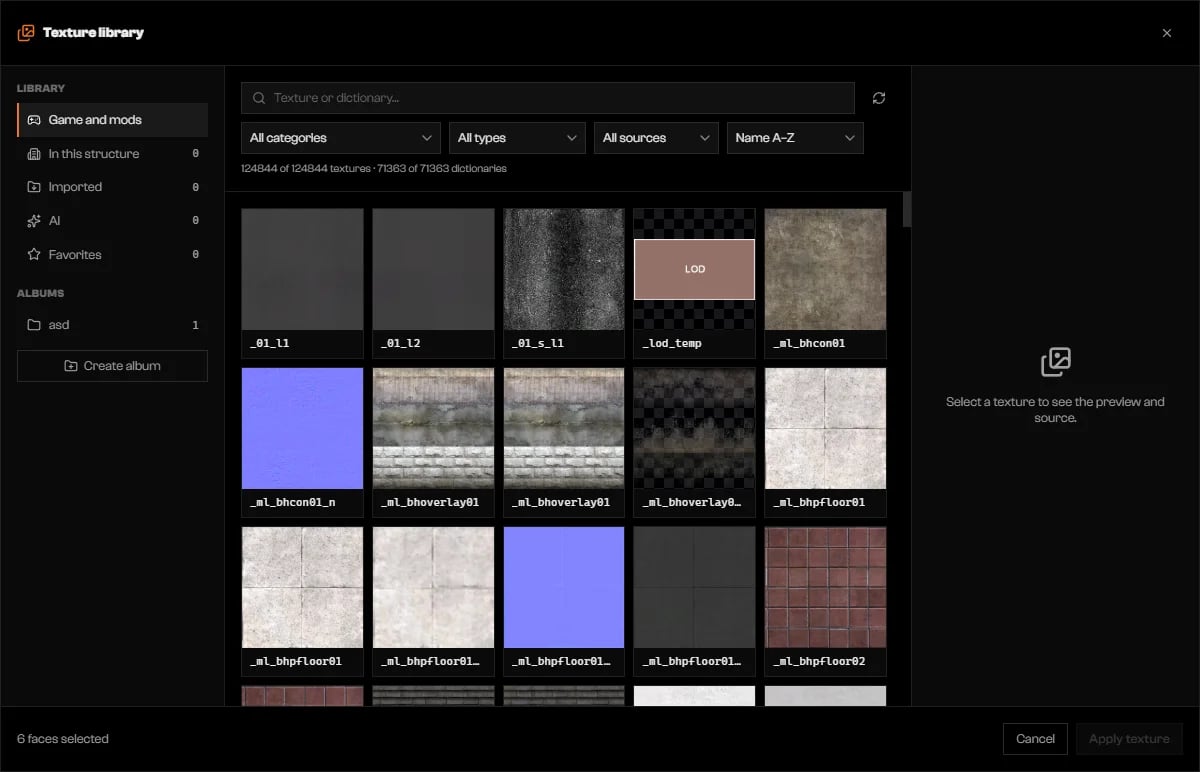
Texture library on Game and mods.
Find and preview
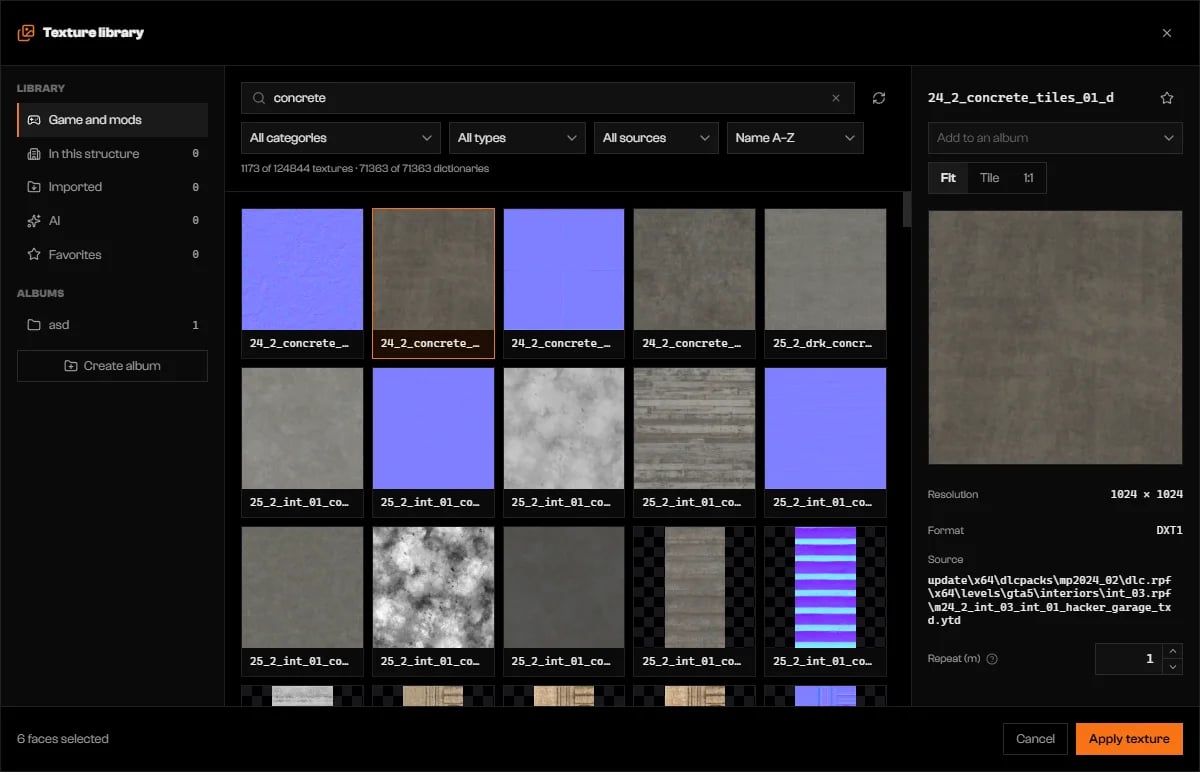
A concrete texture selected, with preview modes, Repeat (m), and Apply texture.
Set the repeat and apply
Tabs
Normal and specular maps
The Normal map and Specular map slots in Material open the library on technical maps. Picking one fills only that slot. X clears it.Use your own image
Click Import in Material, or Import image… on the Imported tab. Choose.png, .jpg, .jpeg, or .webp files. Each is copied into the project, appears under Imported, and the first one is selected. Names are lower-cased with _, and a duplicate gets _2.
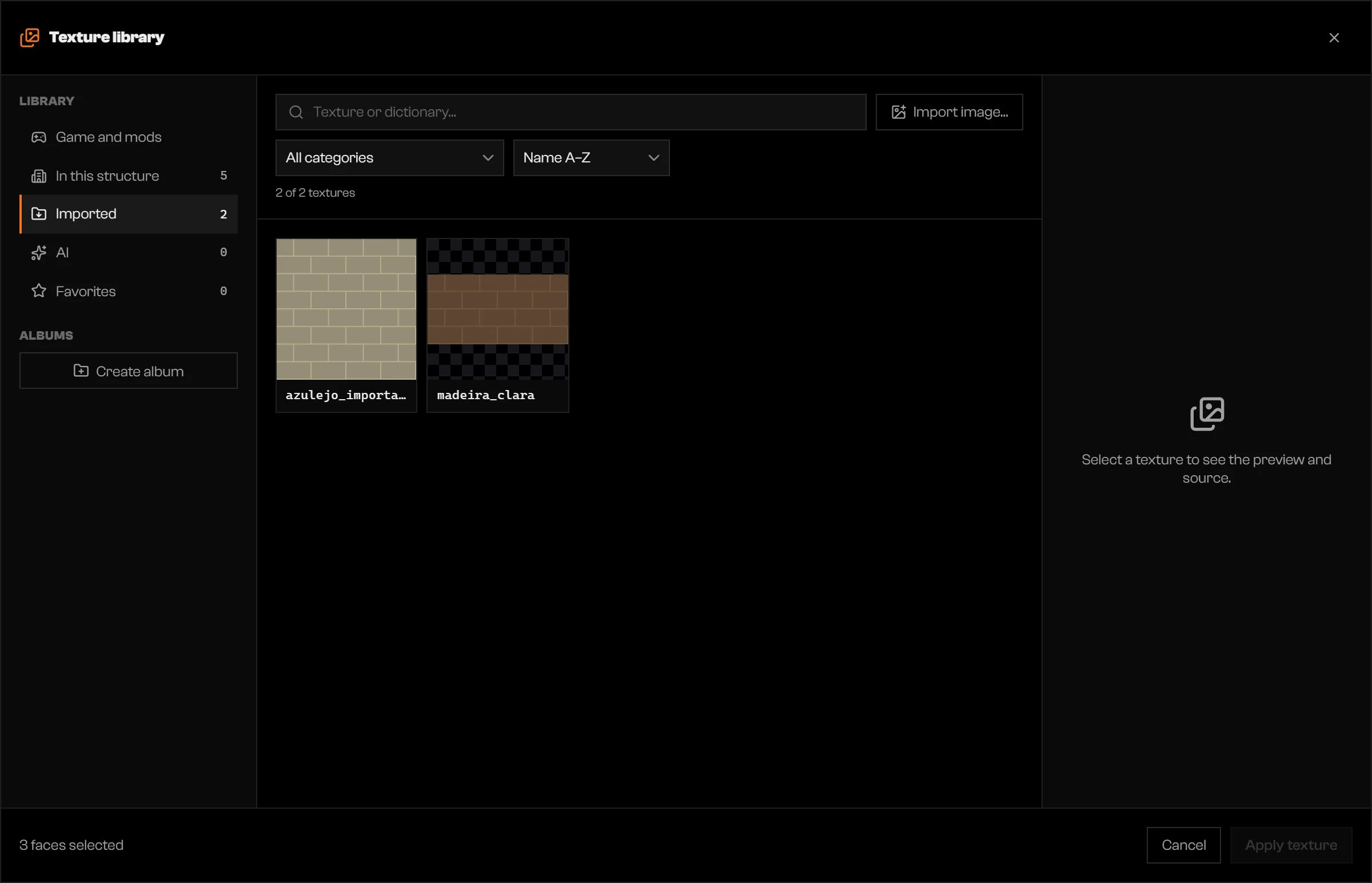
The Imported tab with two images.
AI textures
The AI tab generates a tiling texture from a description. It uses credits: the Generate button shows the cost of the request before you click it. See pricing for plans and credits. You need to be signed in on a registered computer.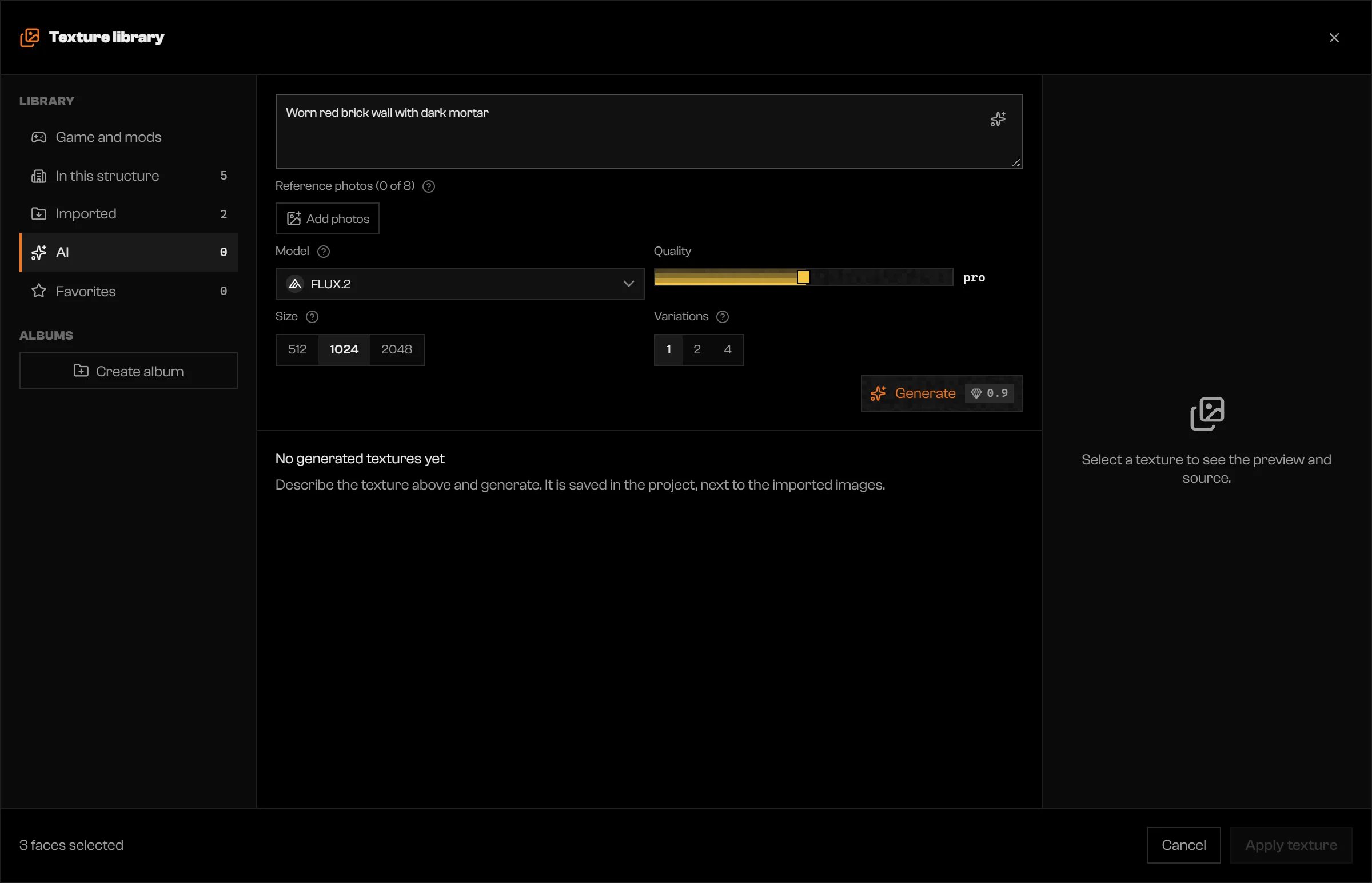
The AI tab with a description typed in.
Describe the texture
Add photos (optional)
Ctrl+V. The model follows their colors, wear, and pattern. Some models take fewer photos or none; the extras are dimmed.Choose the model and size
Click Generate
ia_ prefix. Closing the library does not stop a running generation; reopen the AI tab to see it.
A variation that fails or is refused shows Failed · refunded or Moderated · refunded, and its credits come back. A refused request keeps your text so you can reword it.
Troubleshooting
Could not load the textures
Could not load the textures
No textures found
No textures found
Save the structure in a project to import images.
Save the structure in a project to import images.
Not enough credits for this generation.
Not enough credits for this generation.
Describe the texture first.
Describe the texture first.
Sign in to your account to generate a texture.
Sign in to your account to generate a texture.
This computer isn't registered on your account. Reopen the app to register it.
This computer isn't registered on your account. Reopen the app to register it.
The service refused the request because of its content filter. Change the description and try again.
The service refused the request because of its content filter. Change the description and try again.
The price went above the amount shown, so nothing was charged. Check the new amount and generate again.
The price went above the amount shown, so nothing was charged. Check the new amount and generate again.
Too many requests in a row. Wait a moment and try again.
Too many requests in a row. Wait a moment and try again.
This model does not take photos.
This model does not take photos.
Map piece: only works as a preview. To export, choose a dictionary or import the image.
Map piece: only works as a preview. To export, choose a dictionary or import the image.
… with the texture "…" without a dictionary (.ytd). Click to mark them and choose the texture again.
… with the texture "…" without a dictionary (.ytd). Click to mark them and choose the texture again.