
Read the Checker
Two badges in the header count the problems: red for errors, orange for warnings. With none, the section reads Ready to export. Errors come first in the list. The list shows the problems of the active part, but an error in any part blocks the export. Click a row to select the culprit: the room, portal, prop, light, or opening in the view. A row about textures selects the faces and switches to Edit geometry, so you can apply a texture. Some rows point at no piece, such as the empty-structure error, the “No Entrance” error, and thelodDist warning. They only describe what to fix.
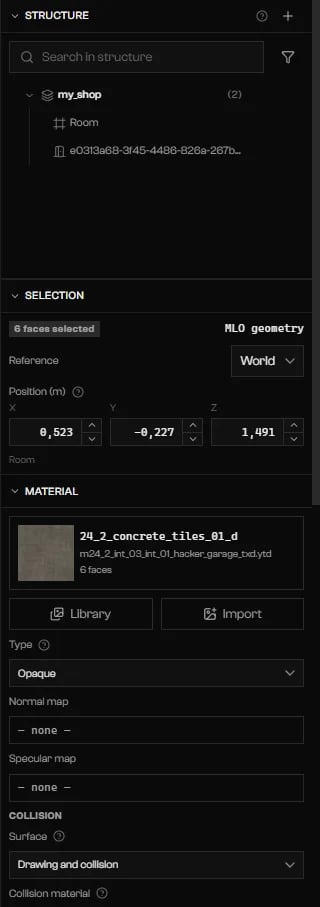
A row about missing textures selects those faces and opens the Material section.
When the export is blocked
Press Ctrl+E or Export while an error blocks it, and a strip appears over the view:Export blocked: … problem(s) prevent writing the resource. Click one to mark the culprit. It lists the blocking rows, and each one works like a row in the Checker. The strip goes away when the problems are fixed or when you close it.
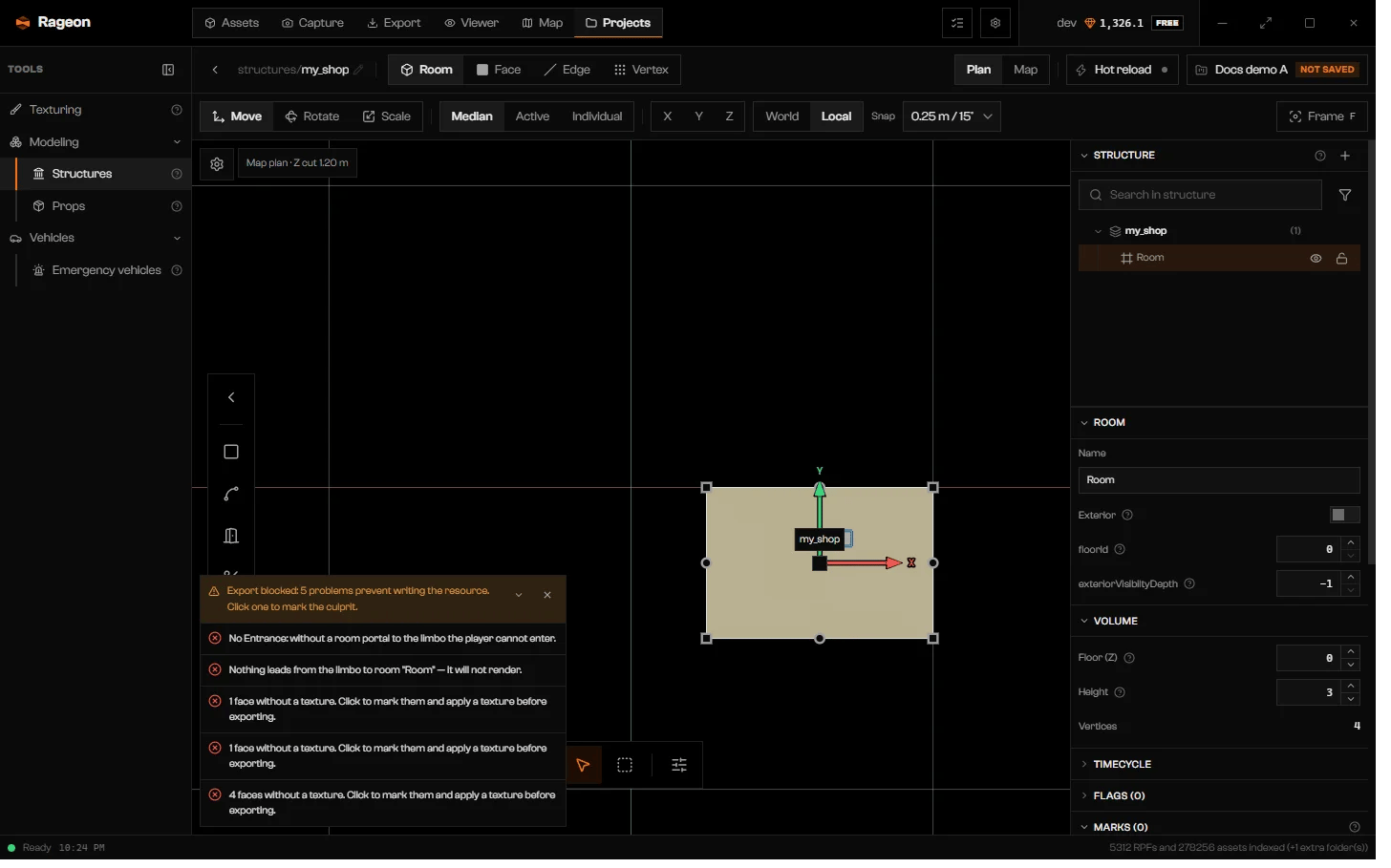
The Export blocked strip over a Plan view, with five problems.
Troubleshooting
Empty structure: create an interior, place a prop or edit the geometry before exporting
Empty structure: create an interior, place a prop or edit the geometry before exporting
No interior: a ymap is produced with the props and the edited geometry, without an MLO.
No interior: a ymap is produced with the props and the edited geometry, without an MLO.
Export replaces the source YMAP/YBN and rebuilds the dependent LODs. Keep the same source files loaded and avoid another resource that replaces these files.
Export replaces the source YMAP/YBN and rebuilds the dependent LODs. Keep the same source files loaded and avoid another resource that replaces these files.
… without a texture. Click to mark them and apply a texture before exporting.
… without a texture. Click to mark them and apply a texture before exporting.
… with the texture "…" without a dictionary (.ytd). Click to mark them and choose the texture again.
… with the texture "…" without a dictionary (.ytd). Click to mark them and choose the texture again.
This structure has no shell of its own: only the metadata (.ytyp/.ymap) is produced, without .ydr or .ybn — the geometry and collision remain those of the original interior.
This structure has no shell of its own: only the metadata (.ytyp/.ymap) is produced, without .ydr or .ybn — the geometry and collision remain those of the original interior.
Room … has no outline capable of generating a floor with collision.
Room … has no outline capable of generating a floor with collision.
… room and collision material combinations: the .ybn holds at most 255.
… room and collision material combinations: the .ybn holds at most 255.
An archetype "…" already exists in the game: this structure will overwrite the original.
An archetype "…" already exists in the game: this structure will overwrite the original.
Timecycle modifier "…" does not touch any room.
Timecycle modifier "…" does not touch any room.
numExitPortals will come out as … (the marked Entrances). The game does not always use that same number, so the original value of this imported MLO may be different — check it if the interior behaves strangely.
numExitPortals will come out as … (the marked Entrances). The game does not always use that same number, so the original value of this imported MLO may be different — check it if the interior behaves strangely.
The export could not derive this document: …
The export could not derive this document: …