
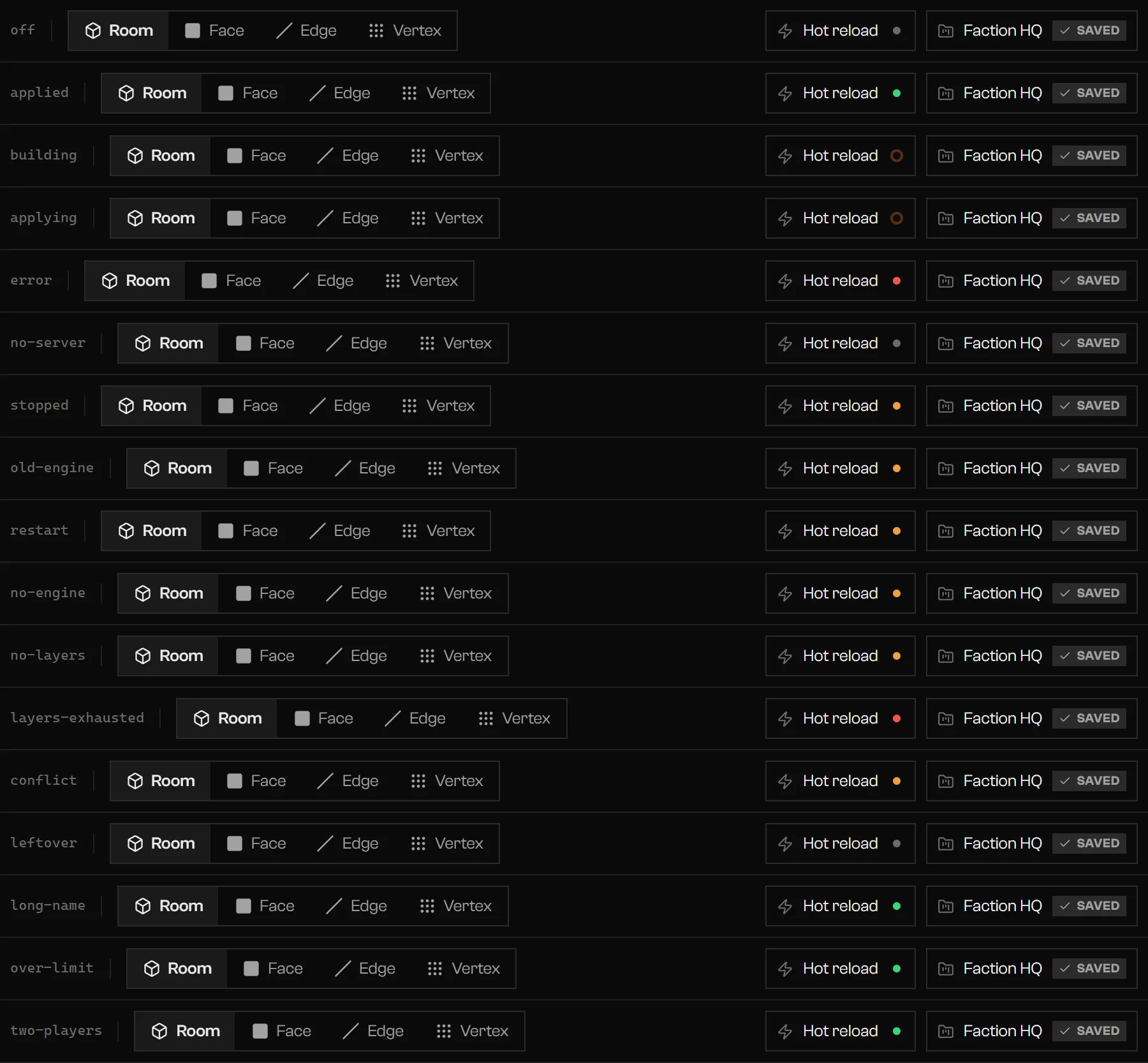
The Hot reload pill in each state, next to the project sheet.
What the server needs
- FXServer running on the same computer as Rageon.
- The server linked in Settings › Bridge, with the
rageon-bridgeresource installed. ensure rageon-bridgein the server’sserver.cfg. Rageon copies the resource but never editsserver.cfg.- A server restart after you install or update the bridge.
- No exported copy of the same project running on that server. Remove its
ensureline and restart.
Link a server
Add the server
resources/ path, whether it is online, and the state of its bridge.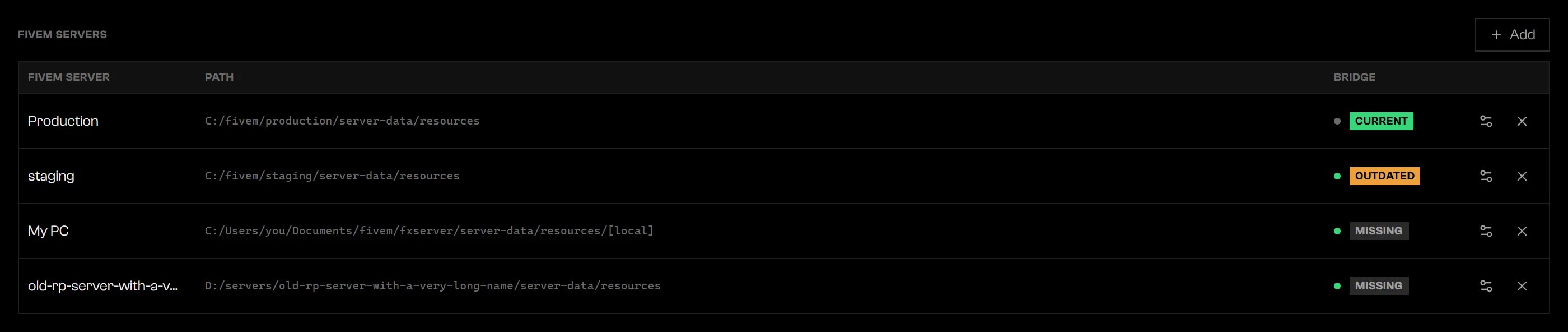
Settings › Bridge with linked servers and their bridge states.
Install the bridge
Restart the server
ensure rageon-bridge to server.cfg if it is not there, then restart the server.resources/. The bridge badges are checking, missing, current, outdated, error, and installing during installation.
Turn it on
Open a structure
Open the Hot reload pill
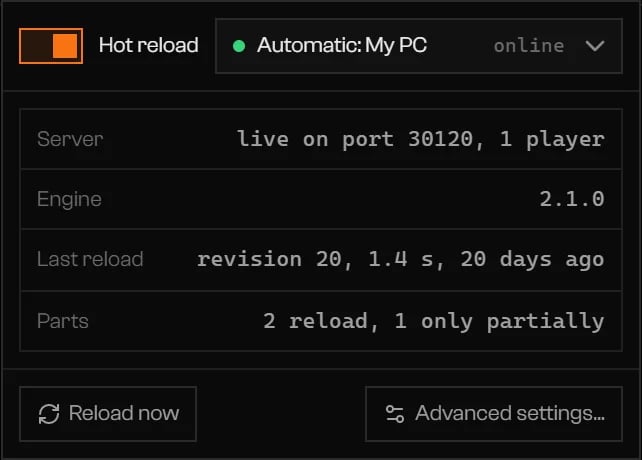
The popover with the server, engine, last reload, and parts.
Edit
Pill states
Advanced settings
Click Advanced settings… in the popover.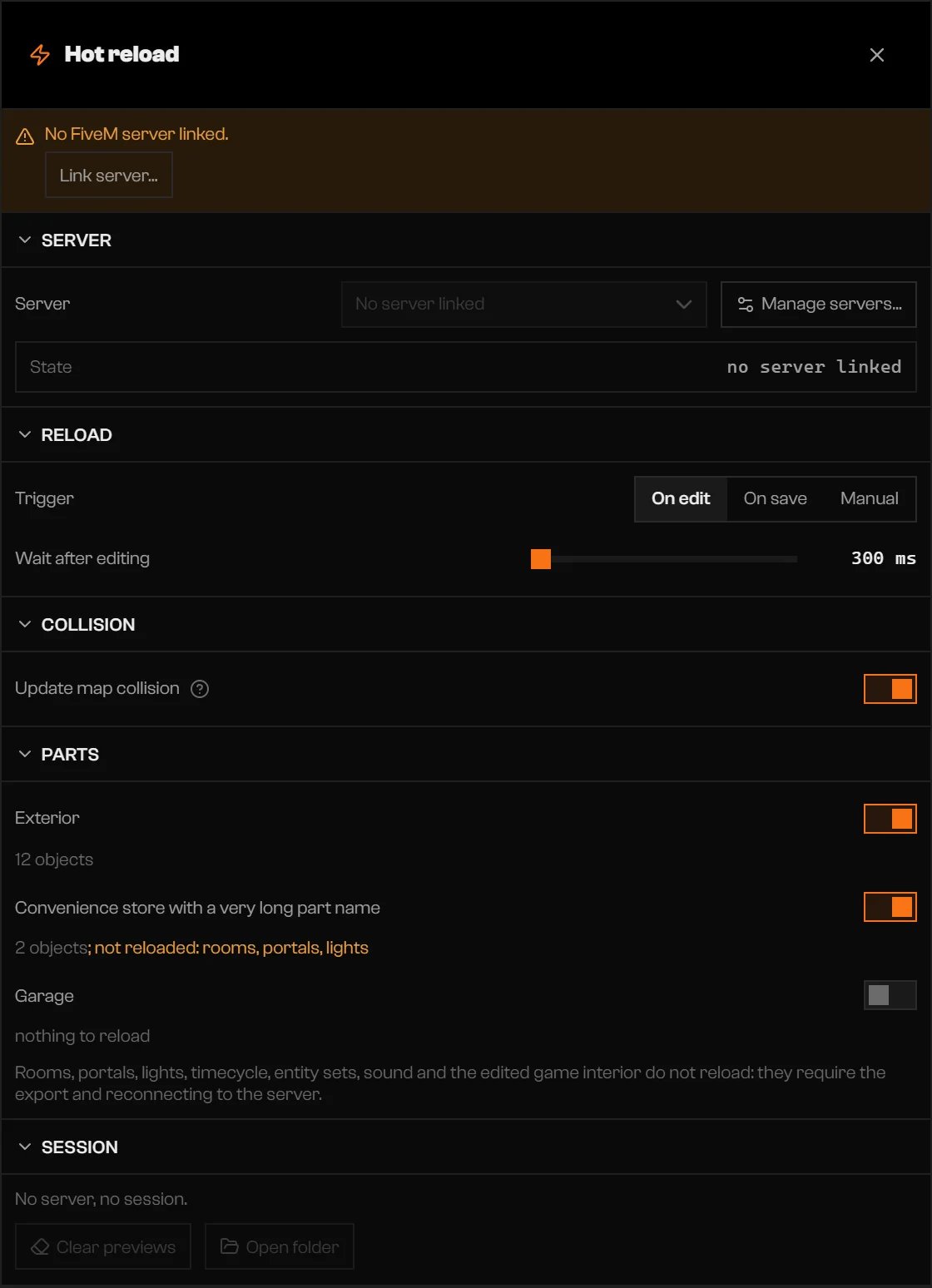
Hot reload settings.
What does not reload
Rooms, portals, lights, timecycle, entity sets, sound, and the edited game interior do not reload. Export, then reconnect to the server to see them. The Parts list marks what a part cannot reload. Each model stays in game memory until the player disconnects. When the session passes the memory warning, reconnect to free it. Hot reload was tested with one connected player. With more, Rageon warns that the preview may diverge. Emergency vehicles have no hot reload. Export the project and restart orensure the resource.
Limits and plans
Hot reload has no limit of its own. It depends on the servers your plan lets you link. Servers over the limit stay in the list but do not show up as options. Details are on the pricing page.Troubleshooting
No FiveM server linked.
No FiveM server linked.
The server does not respond at …. The app checks again every 2 s.
The server does not respond at …. The app checks again every 2 s.
rageon-bridge is not started on this server.
rageon-bridge is not started on this server.
ensure rageon-bridge to server.cfg, and restart the server.This server's rageon-bridge is …; hot reload requires ….
This server's rageon-bridge is …; hot reload requires ….
The server is still running the old engine. Restart the server.
The server is still running the old engine. Restart the server.
The collision layers did not load. Run refresh in the server console or restart it.
The collision layers did not load. Run refresh in the server console or restart it.
refresh in the server console, or restart the server.This project's resource … is live. Remove it from server.cfg and restart the server.
This project's resource … is live. Remove it from server.cfg and restart the server.
ensure line and restart.The server is still showing the preview from an earlier session.
The server is still showing the preview from an earlier session.
The last reload failed. …
The last reload failed. …
The server did not finish the reload within 20 seconds.
The server did not finish the reload within 20 seconds.
The build did not finish within 60 seconds.
The build did not finish within 60 seconds.
The structure has too many objects for one reload (… objects).
The structure has too many objects for one reload (… objects).
A player could not load the preview.
A player could not load the preview.
All 32 collision layers of this session have been used. Restart the server to free them.
All 32 collision layers of this session have been used. Restart the server to free them.