Antialiasing smooths jagged edges on buildings, fences, and wires. Rageon applies one Method at a time, under Configure the view → Rendering → Antialiasing. Which methods you see depends on your computer. A method your setup cannot run is hidden. Off, SMAA, and FXAA are always listed.

Which method to use

Each method has an Advanced antialiasing settings section. Restore this method’s settings puts that method back to its defaults. It does not appear for Off.
Compare methods with Real-time clock off, so the lighting does not change between looks. See Lighting and weather.

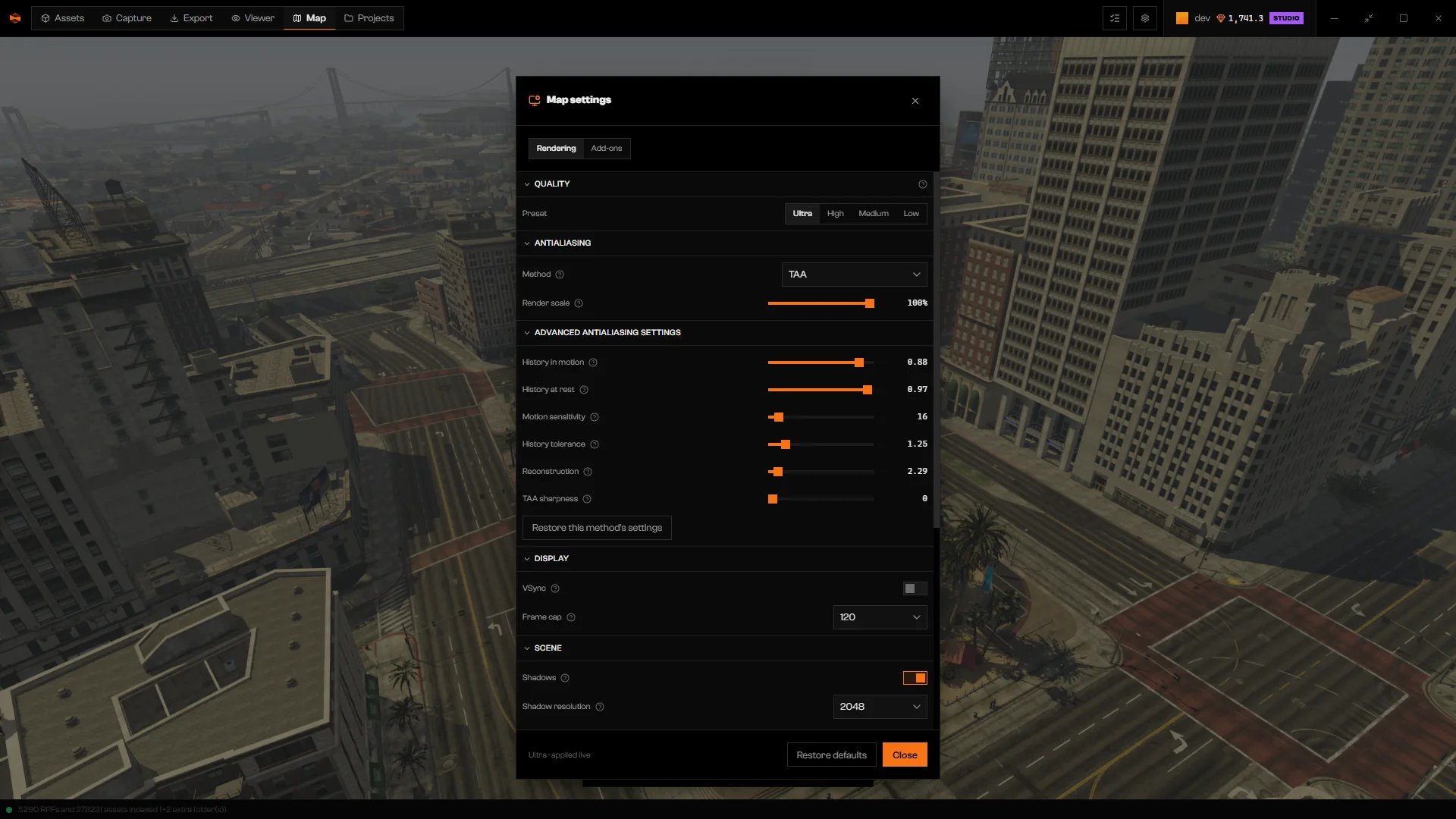
TAA

Antialiasing section with Method set to TAA and the advanced history, reconstruction, and sharpness sliders

TAA with its advanced settings.

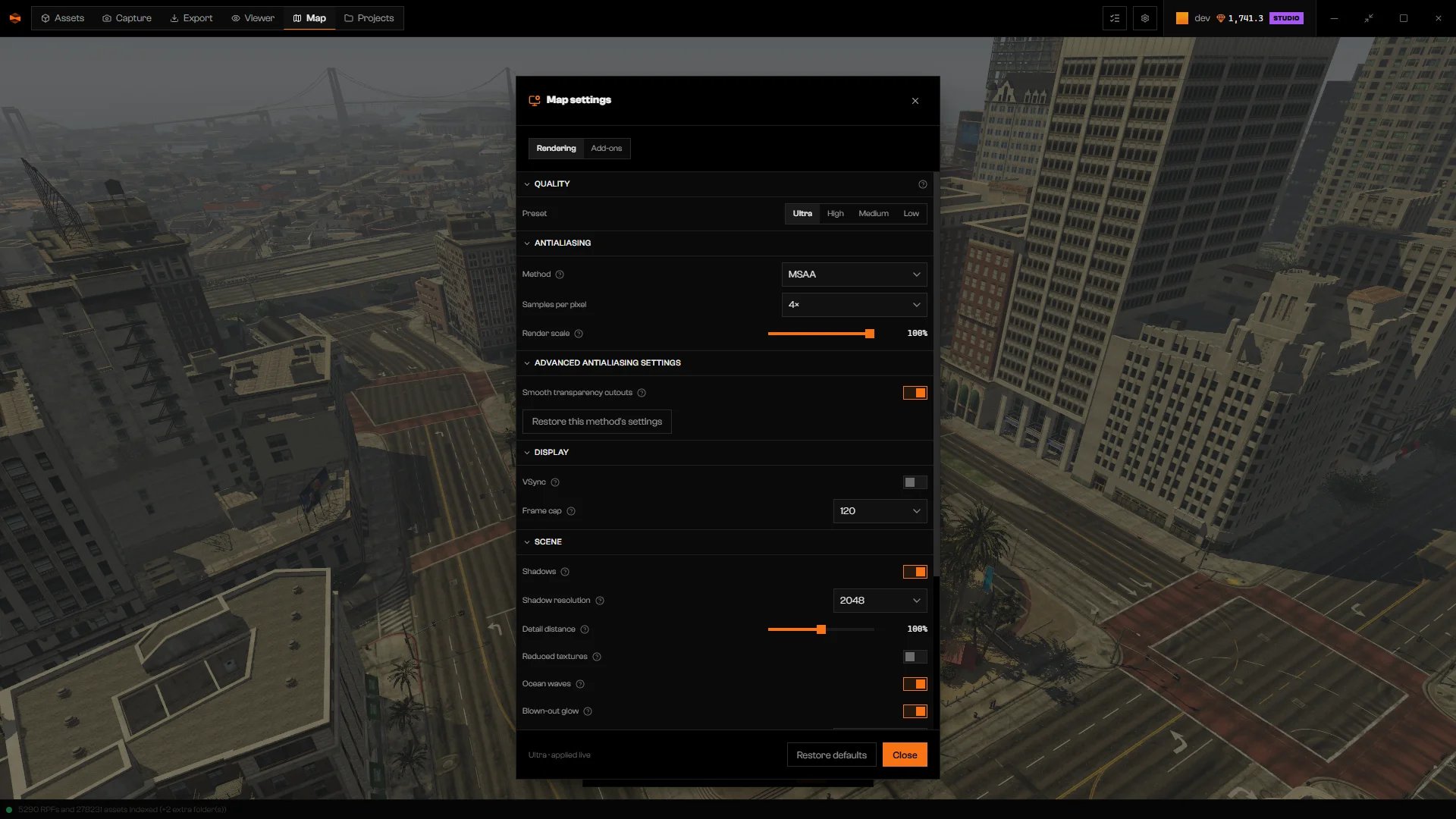
MSAA

Antialiasing section with Method set to MSAA, a Samples per pixel selector, and Smooth transparency cutouts

MSAA with Samples per pixel and its advanced setting.

Samples per pixel lists the counts your graphics card supports, for example 4×. More samples give cleaner edges and use more video memory. In the advanced section, Smooth transparency cutouts (on by default) also smooths the edges of foliage and fences.

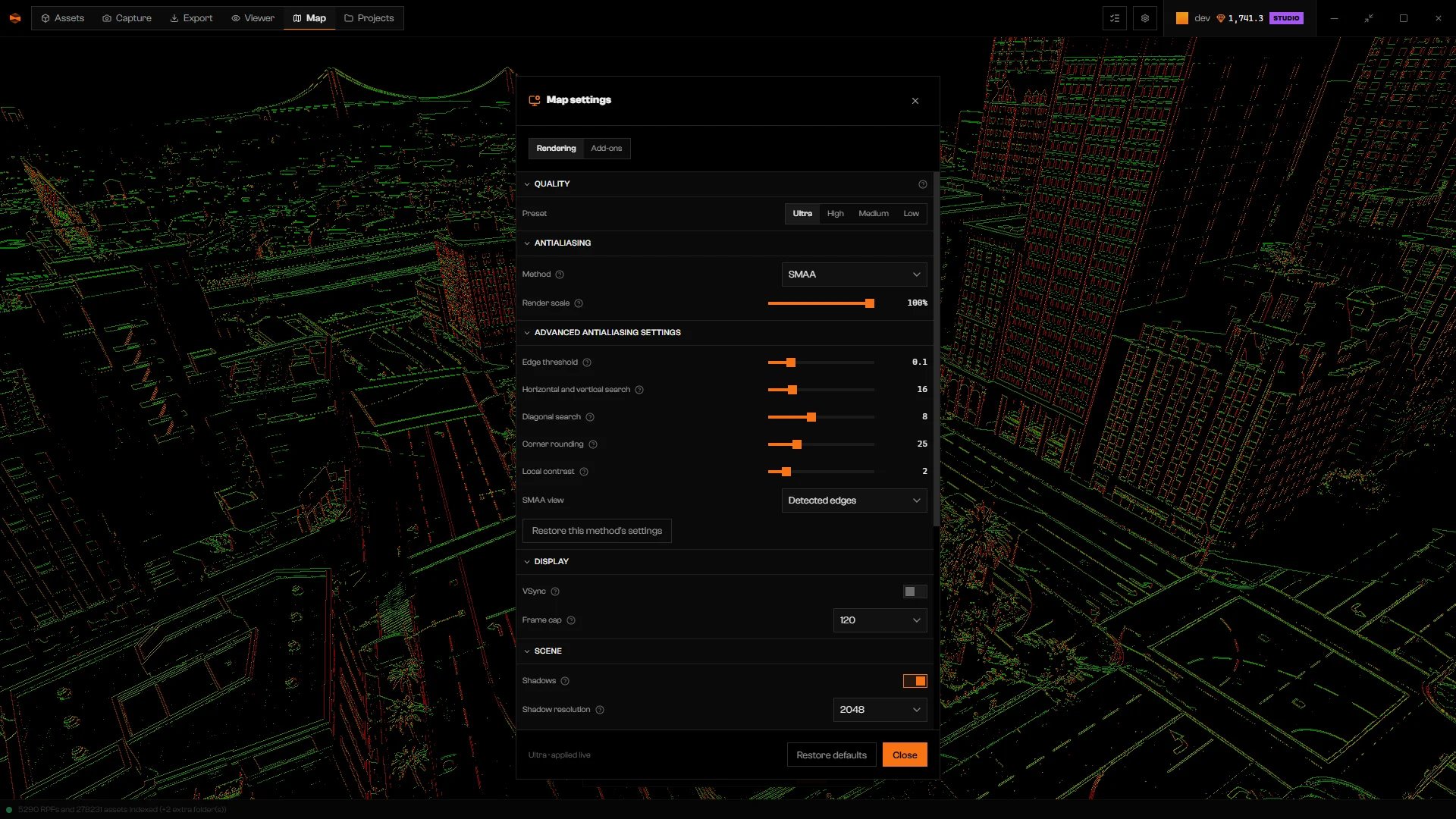
SMAA

Antialiasing section with Method set to SMAA, advanced edge settings, and the view showing detected edges

SMAA with the SMAA view set to Detected edges.

Set SMAA view back to Final image when you finish comparing.

FXAA
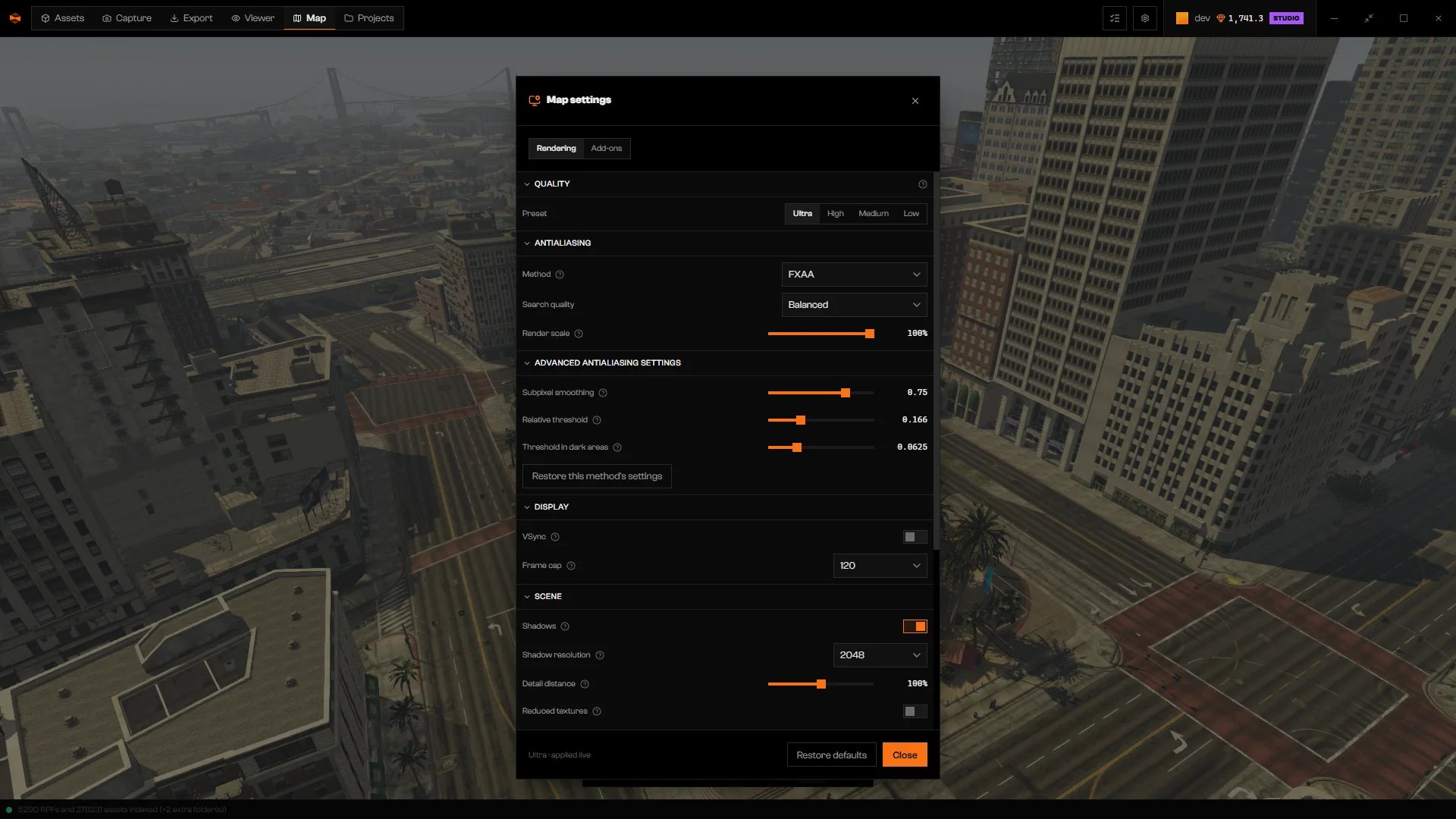
Antialiasing section with Method set to FXAA, Search quality, and the smoothing and threshold sliders

FXAA with Search quality and its thresholds.

FSR 3 and DLSS / DLAA
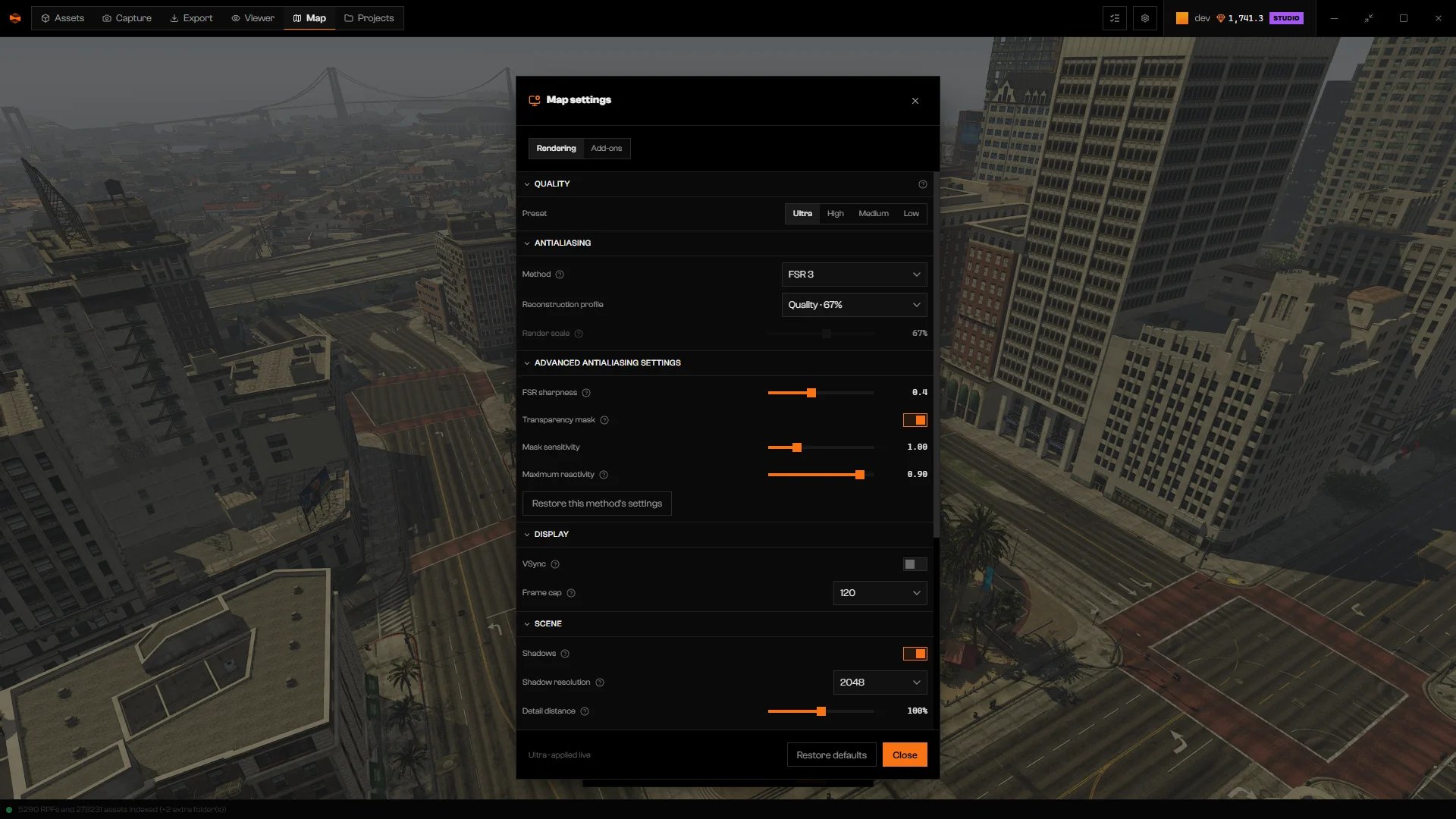
Antialiasing section with Method set to FSR 3, the Quality 67% reconstruction profile, and the sharpness and transparency mask settings

FSR 3 with the Quality reconstruction profile.

Both methods render the scene below window size, then rebuild it. Reconstruction profile sets how far down: Render scale (25 to 100%) is shown for every method and sets scene resolution directly. With FSR or DLSS you edit it only after choosing Custom. The interface and editor outlines always keep window resolution. FSR 3 has no frame-generation control here. DLSS and DLAA need a supported NVIDIA GPU and an installation that includes NVIDIA DLSS. When they are not available, Method does not list them.

Troubleshooting

A saved method cannot run now. Choose one of the methods that Method still offers.
DLSS is not available here. Choose another method in Method; Off, SMAA and FXAA are always listed.
The setting was refused. Choose a different method or value.